How to initiate the “MacCamy-Fuchs” load formulation in AquaSim
Last reviewed version: 2.22There are mainly two different ways to initiate the “MacCamy-Fuchs” load formulation in AquaSim, and both requires that the component group, representing the geometry and elements you want to calculate the hydrodynamic properties of, is either set to element type “Membrane” or “Membrane X”.
The next step is then to go to the dropdown menu for “Load Formulation” and choose either “Lice skirt” or “Closed compartment” as shown in Figure 3. You then go to the dropdown menu for “Wave excitation load” and choose “MacCamy-Fuchs”, as shown in Figure 4.
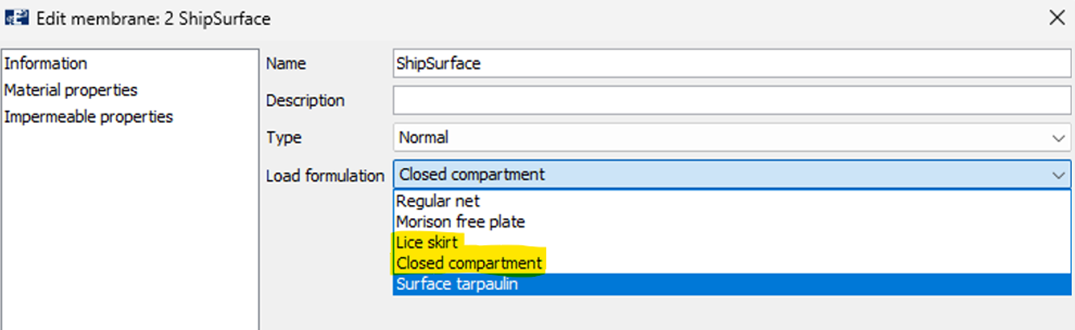 Figure 3 Load formulations that can be used to initiate the MacCamy-Fuchs in AquaSim, highlighted in yellow.
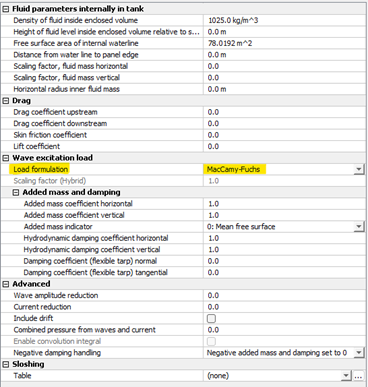
Figure 4 How to initiate MacCamy-Fuchs in AquaSim using “Lice skirt” or “Closed compartment”.