Modelling predator net
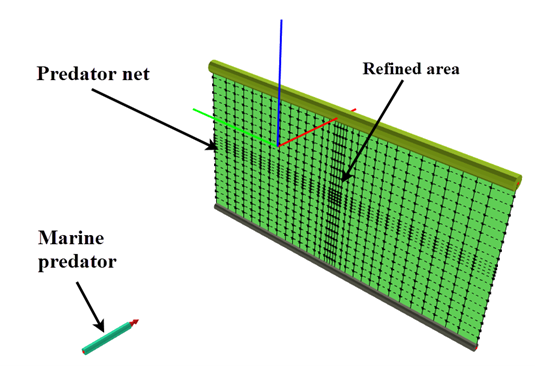
Last reviewed version: 2.22This section describes how to establish the numerical model in AquaSim. Before proceeding this tutorial, it is recommended that the user is familiar with the tutorial Component contact: Falling box (Aquastructures, 2026a), as the present case study builds on the same principles and methods. The overall model is illustrated in Figure 3. It should be noted that this model does not represent a complete fish farming facility with all its associated structural components. The model is intentionally simplified to include only the relevant components to demonstrate the situation on a principled level.
Predator net model
The predator net is modelled with the use of MembraneX in AquaEdit. It is a flexible net structure suspended with a floating tube on the upper part and a sinker tube in the lower part. A local refinement of the net is introduced in the area where contact between the predator and net is expected. This is recommended when using contact elements, since the contact forces are transferred locally between the structural elements. Refinement will then improve the accuracy of the contact forces and stress distribution in the net.
Predator model
The predator is simplified to a Beam component in AquaEdit. It is a rigid element, considered sufficient to demonstrate the basic principle of structural response during impact. In practical applications, predator geometry may be represented using more advanced structural model depending on the required level of details. The structural input for the predator is illustrated in Figure 4.
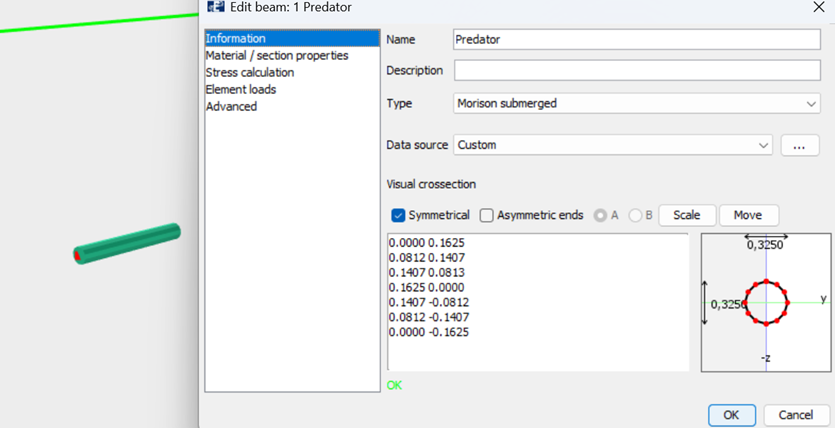
Figure 4 Structural input for the predator
The predator is assumed to be approximately self-buoyant in water. Therefore, the beam is assigned mass and buoyancy properties that reflect the effective submerged mass of the animal. The material- and hydrostatic properties of the predator are shown in Figure 5.
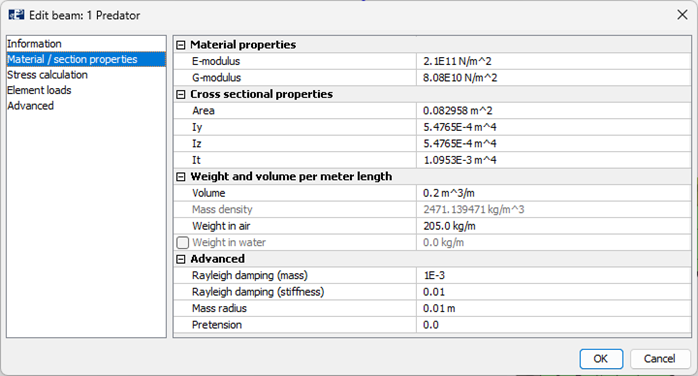
Figure 5 Properties of the predator
Predator acceleration
To generate impact velocity of the predator, a prescribed acceleration system is introduced to the predator beam. This is solved by applying:
- A time RAO function
- Offloaded springs connected to the predator nodes
This approach allows the predator to gradually accelerate to a target velocity before the impact occurs. The acceleration setup is illustrated in Figure 6.
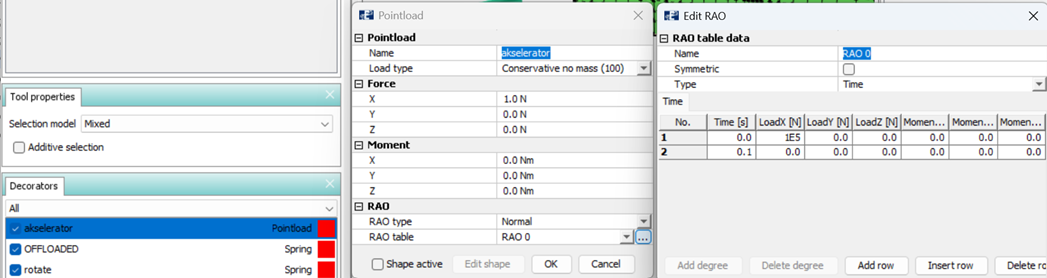
Figure 6 Introduction of accelerator and offloaded spring.
The accelerator and offloaded spring are attached to each node of the predator beam, as shown in Figure 7. Applying this velocity distribution on all nodes of the beam will provide a smoother and stable acceleration response during the initial phase of the simulation.
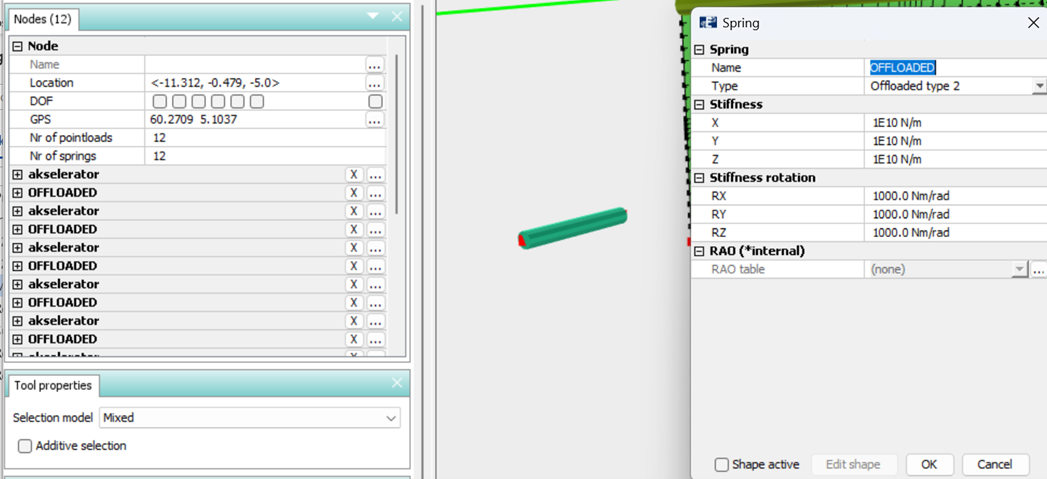
Figure 7 Accelerators and offloaded spring introduced to each node on the predator
Defining component contact
The properties of interaction between the predator and net are defined by applying the Component contact functionality found in the Tools > Tables section in AquaEdit. This is demonstrated in Figure 8.
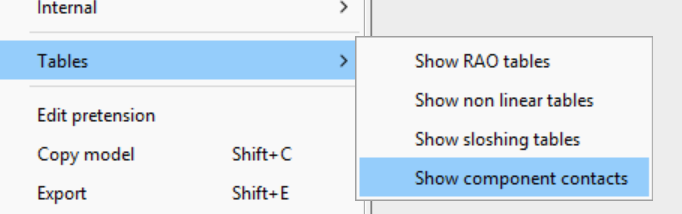
Figure 8 Component contact tables
The corresponding Component contact dialogue is shown in Figure 9.
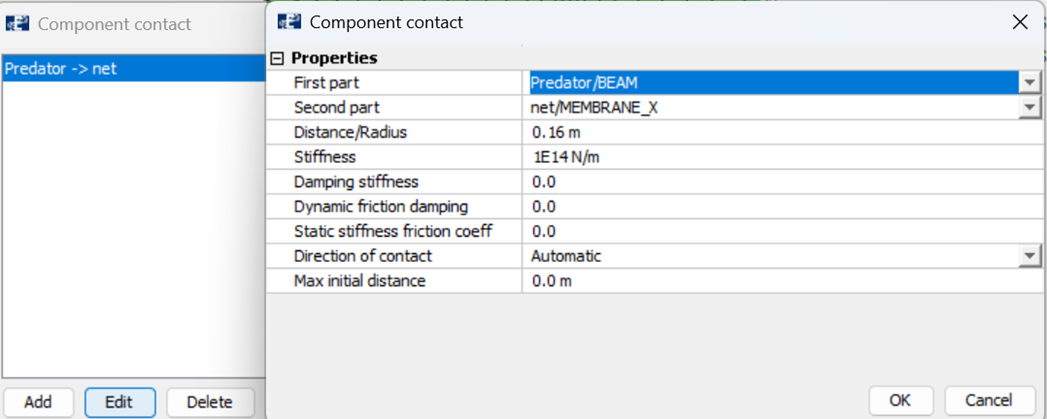
Figure 9 Component contact dialogue box.
The following parameters are important when defining the contact:
- Contact stiffness: defines the stiffness of the virtual contact springs that are activated at a specific distance between the components. Higher stiffness will reduce penetration but may also lead to numerical instability or convergence issues.
- Contact damping: introduce numerical damping during the contact and may help stabilize the analysis. This is a coefficient.
- Distance/ radius: defines when the virtual contact spring should be activated. When the distance between the First part and Second part is lower than this value, the spring is activated. In the present case study, this parameter may be interpreted as the radius of a sphere surrounding the front node of the predator beam.
When the contact sphere on the front node intersects the net elements, contact forces are activated. The selected radius should therefore be representative for the dimensions of the impacting body and evaluate this with the mesh density on the net. Having this in mind, the user might have to test and calibrate the contact input to achieve both a realistic impact and numerical stable simulation.